 SwiftPAT
Test and tag software for AS/NZS 3760:2022
Test and tag, made faster.
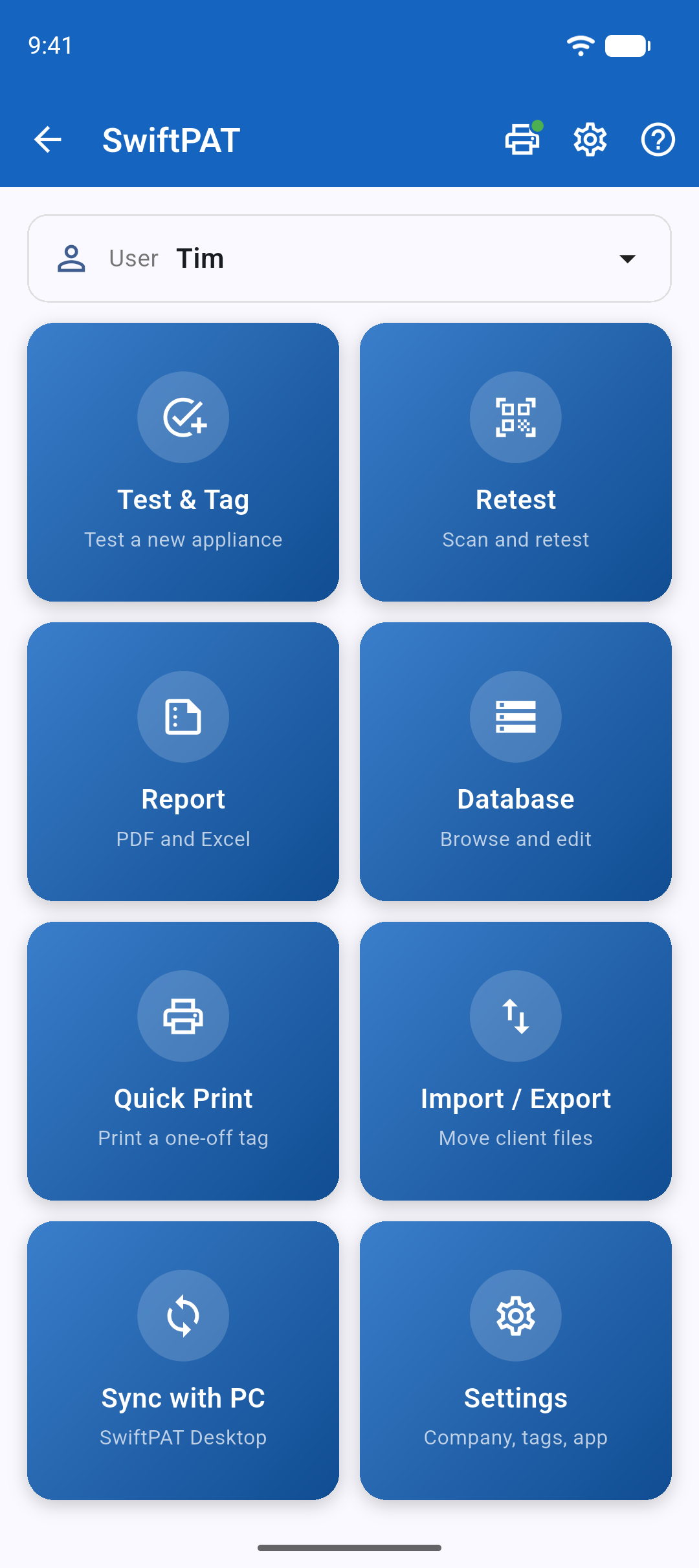
Test the appliance with your own equipment. Record the results, print the tag and move straight on to the next one. SwiftPAT keeps your appliance records organised, makes retesting a breeze and produces the reports your clients ask for. No expensive tester upgrades. No internet connection needed. Just a faster way to get through the job.
- Works with the tester you already own
- QR code retesting
- Zebra and Godex printers
- Works offline
Your tester. Your tools. Your choice.
SwiftPAT doesn't care which brand of tester you use. Metrel, Fluke, Seaward, Megger, Kyoritsu or something else entirely. Use your existing PAT tester, separate test instruments or manual testing where appropriate.
You carry out the inspection and testing, then enter the results into SwiftPAT. It takes care of the records, appliance history, tags and reports. No proprietary tester, special connection or expensive hardware required. Bring the equipment you already trust.
Built by someone who knows the job.
SwiftPAT was created by an Australian electrician with more than 15 years of hands-on experience in electrical testing and tagging.
It's been built around the way the work actually gets done, with input and feedback from electricians, electrical technicians and test and tag professionals along the way.
Designed in Australia for the people doing the job across Australia and New Zealand. Practical features, straightforward software and no unnecessary complications. Because the tools you use should make your work easier, not give you another headache.
Two apps, one record
The SwiftPAT mobile app goes on site with you. SwiftPAT Desktop gives you a larger screen for managing records and reports in the office.
SwiftPAT mobile app
For Android phones and tablets. Record tests, print tags and retest by QR code, all from the job site.
Explore the mobile appSwiftPAT Desktop
Coming soonFor Windows. Manage each client's register on a larger screen, update records in bulk and prepare customer reports. Syncs with the SwiftPAT mobile app.
See what's comingBuilt around fewer taps
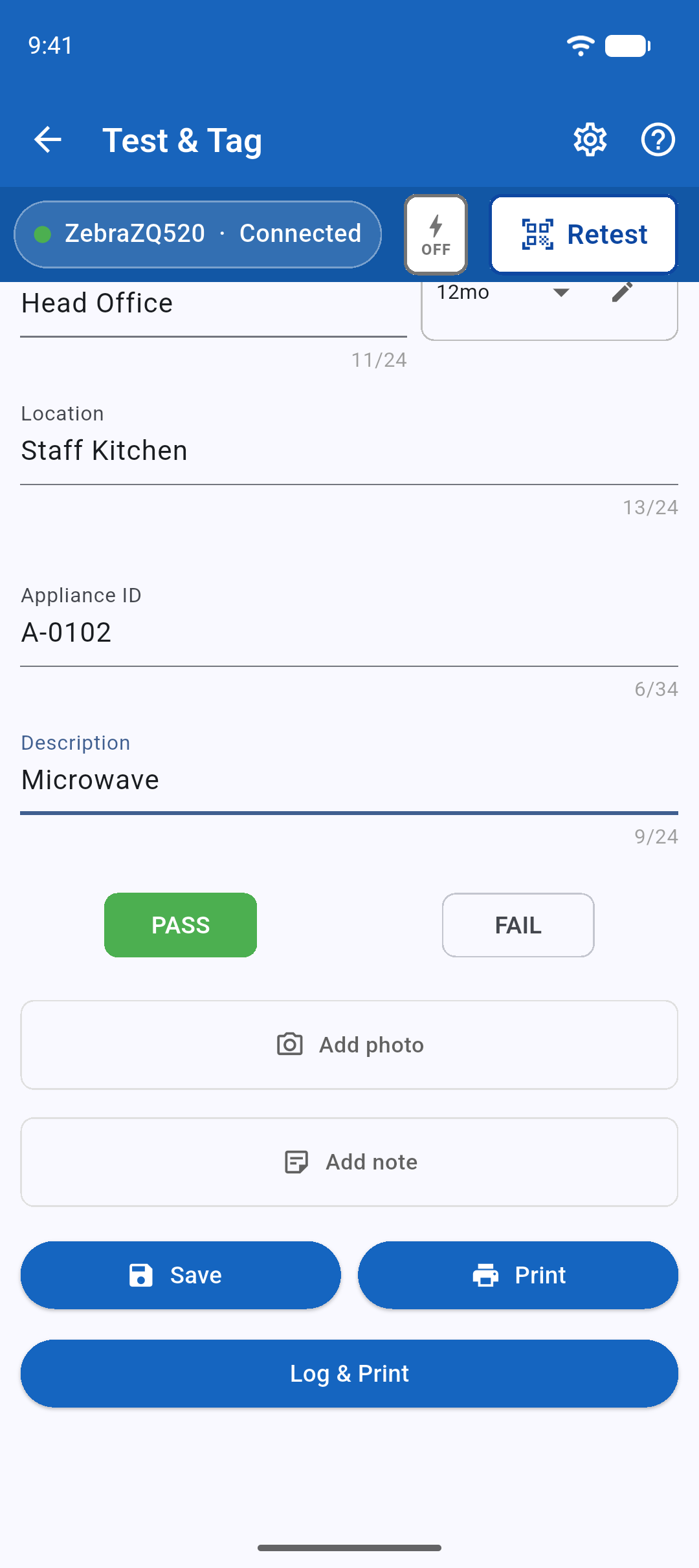
Log and print in one tap
Enter the site, location and description, select PASS or FAIL, then tap Log & Print. The appliance ID advances automatically, so you can move straight on to the next item.
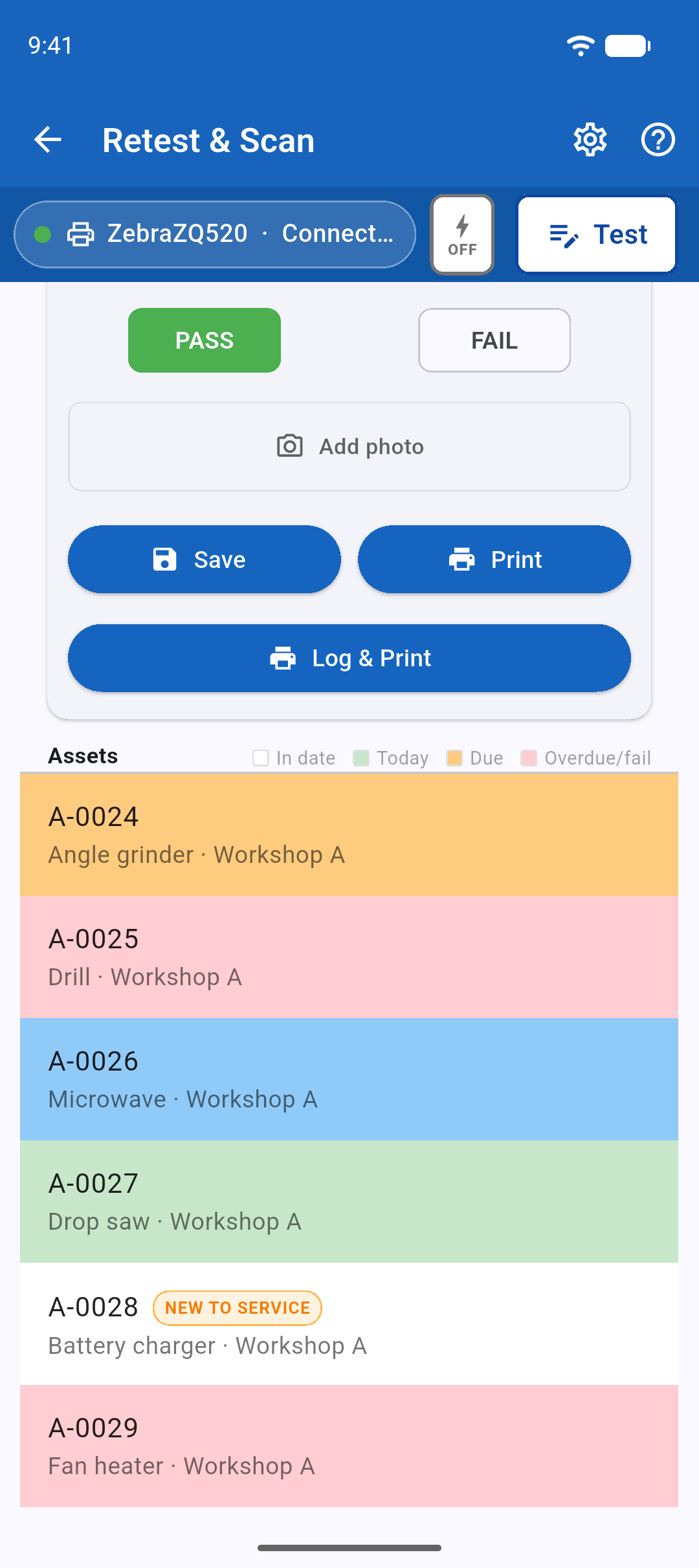
Scan a tag to retest
Scan the QR code on an existing tag to bring up that appliance. The asset list is colour-coded, making it easy to spot items that are current, due, overdue or failed.
Reports ready to share
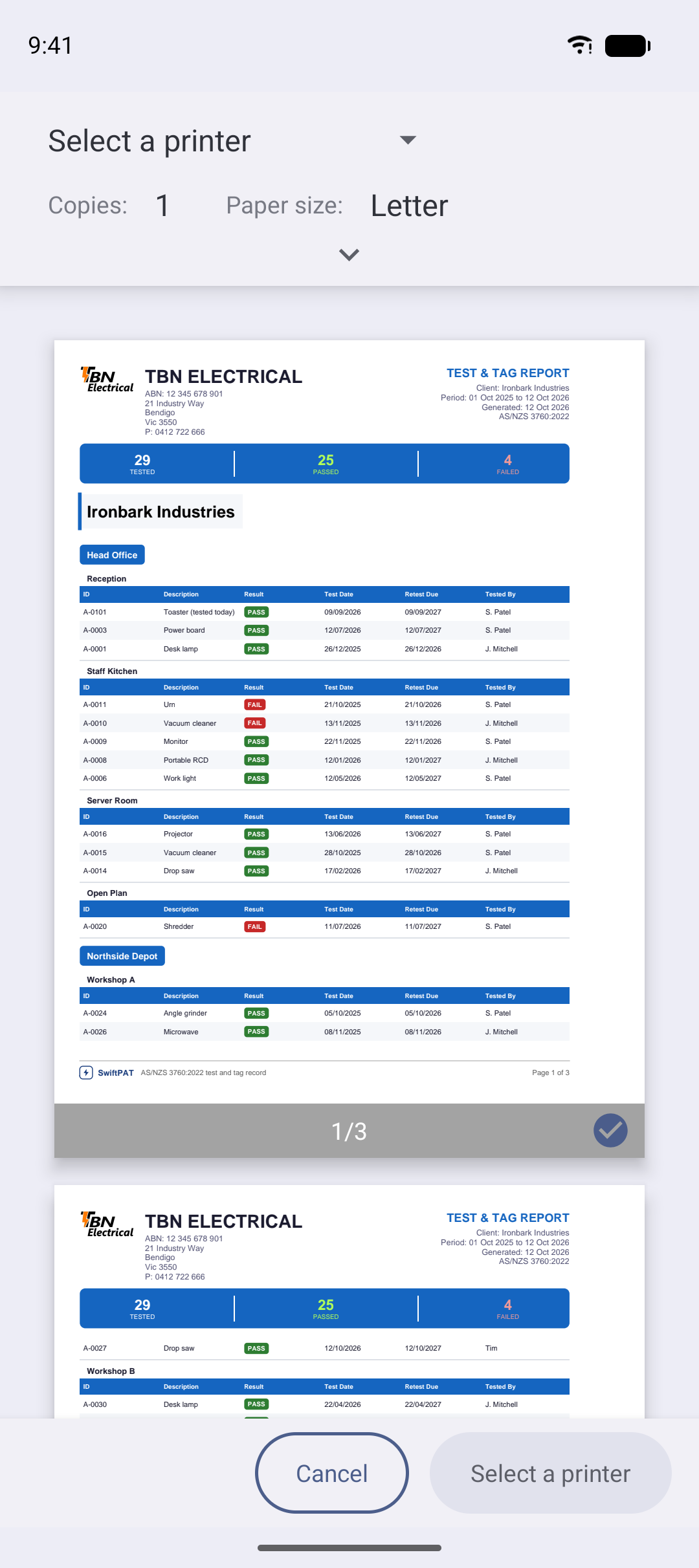
Create PDF and Excel reports with your business name, logo and details. Choose a detailed or summary report, or show overdue items only.
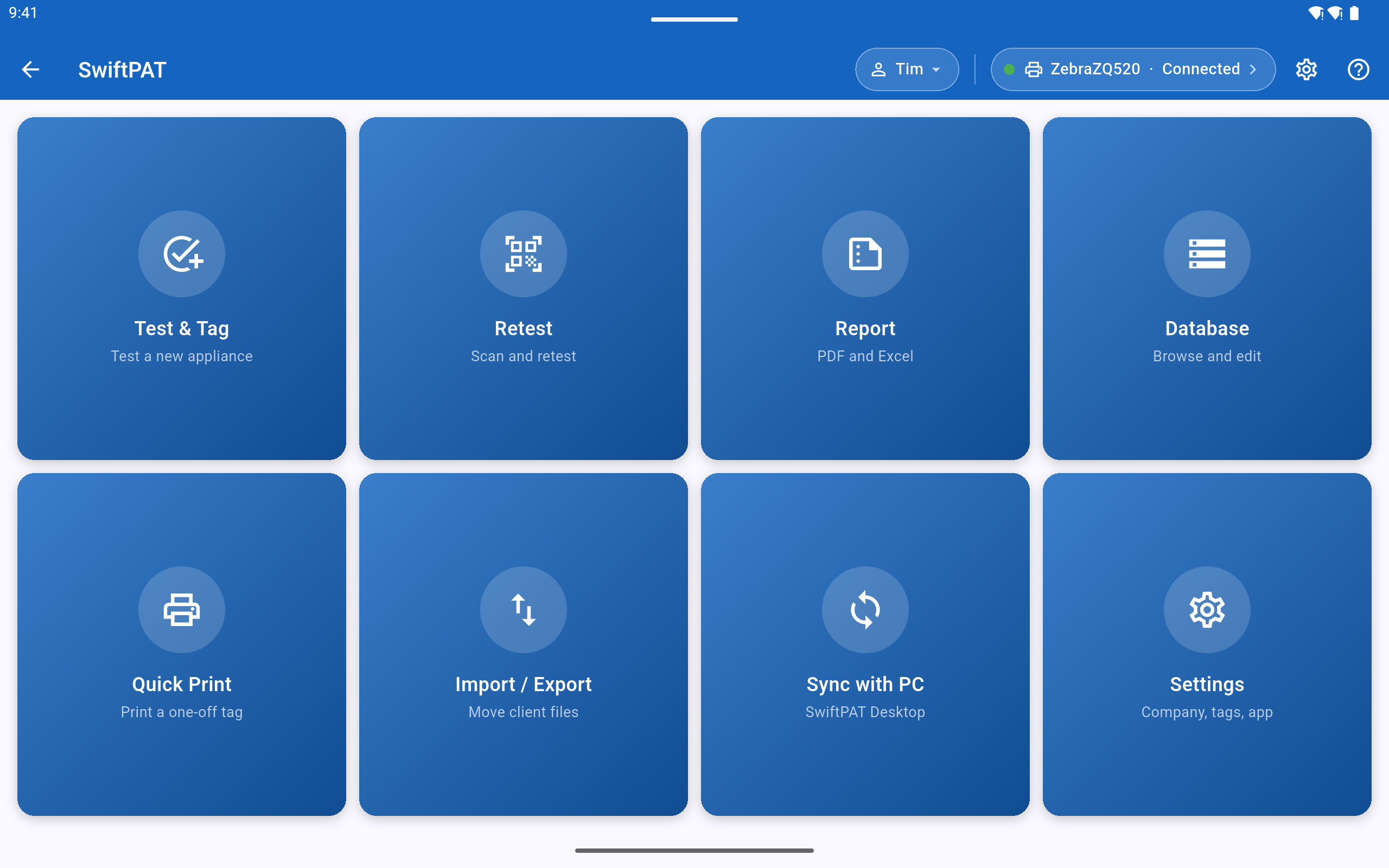
On a phone or a tablet
The same app on both. On a tablet, Test & Tag and Retest & Scan spread across two columns, so the appliance list and the test sit side by side.
Common questions
Does SwiftPAT test the appliance?
No. And that's the point. SwiftPAT isn't another PAT tester you need to buy.
You do the actual electrical testing using your own equipment and experience. That might be a dedicated PAT tester, separate test instruments or manual testing where appropriate.
Enter your readings and select PASS or FAIL in SwiftPAT. It records the results, keeps the appliance history, prints the QR-coded tag and puts everything together in your reports.
You bring the tester. SwiftPAT brings the paperwork under control.
Which PAT tester do I need to use with SwiftPAT?
None in particular. SwiftPAT isn't tied to any tester brand or model.
Use the PAT tester you already own, whether it's a Metrel, Fluke, Seaward, Megger, Kyoritsu or another brand. You can also record results from separate test instruments or manual testing where appropriate.
SwiftPAT doesn't connect to or control your tester. You simply enter the results into the app. No special cables, integrations or new testing equipment needed.
Which printers does it work with?
Zebra ZQ520 and ZQ521 printers (100 × 50 mm tags) and the Godex RT200 (99 × 43 mm tags), over Bluetooth.
Do I need internet or mobile signal?
No. Work in a basement, plant room, switch room or halfway across a paddock. SwiftPAT works offline, so you don't need mobile reception, an internet connection or even an account. Your records stay on your device.
What's included for free?
Quite a lot, actually. Test and tag, retesting, QR scanning, appliance records, photos, readings and PDF and Excel reports. You can have unlimited clients, sites and appliances, with no trial period or expiry date.
Pro is there if you want faster printing, bulk reprinting and reports without the SAMPLE mark.
Spend less time on paperwork
Install the SwiftPAT mobile app on your Android phone or tablet and use it on your next job.
Coming soon to Google Play