 SwiftPAT
Coming soon
SwiftPAT Desktop is currently being tested. Email support@swiftpat.com.au if you'd like to hear when it is available.
Your whole register on a big screen
Open a client to view its sites, locations and appliances, along with each appliance's test history. Sort and filter the register to find the records that need attention.
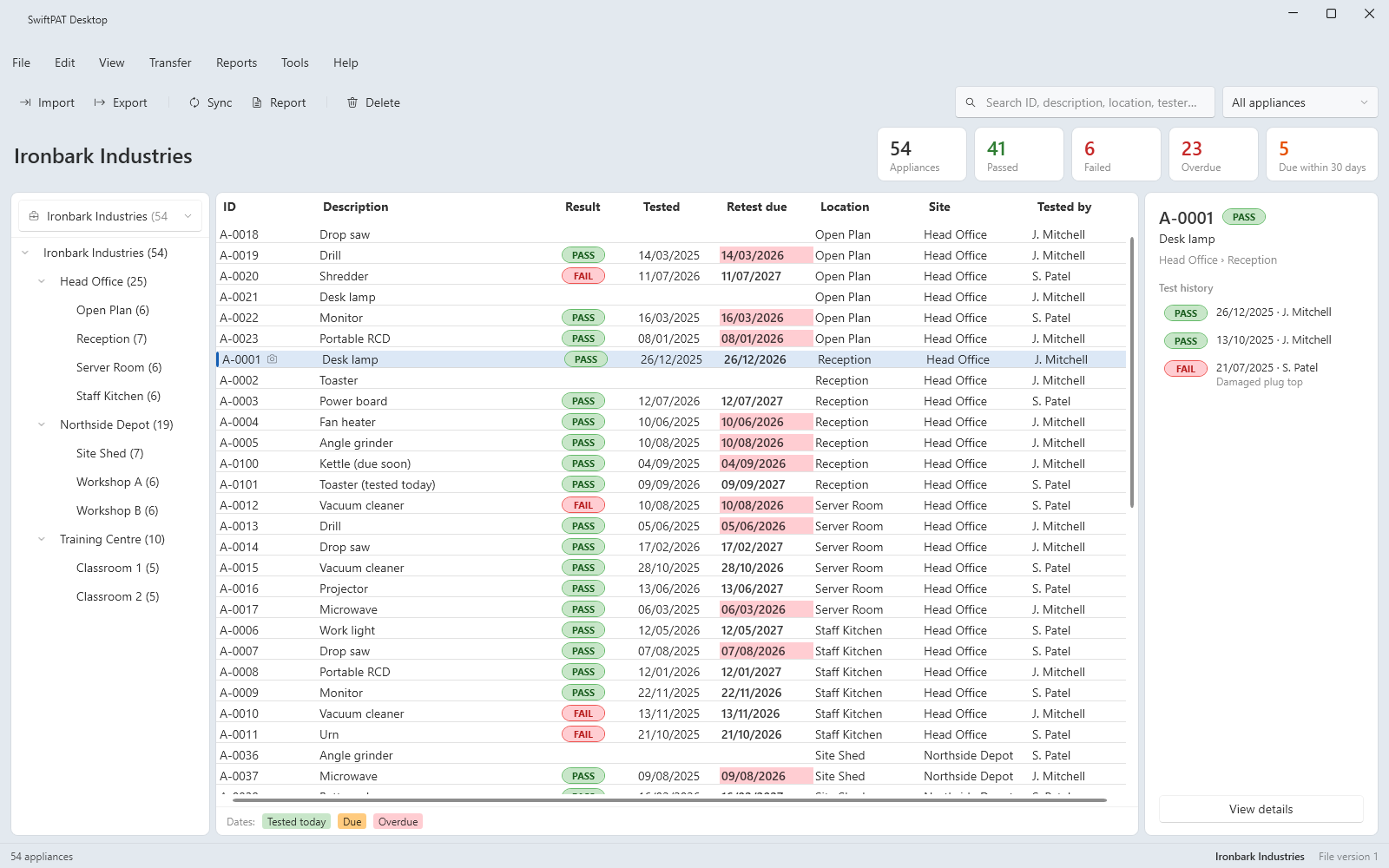
Tidy things up in bulk
Update descriptions and move appliances between locations in bulk. Test results cannot be changed in Desktop, so the results recorded on site remain unchanged.
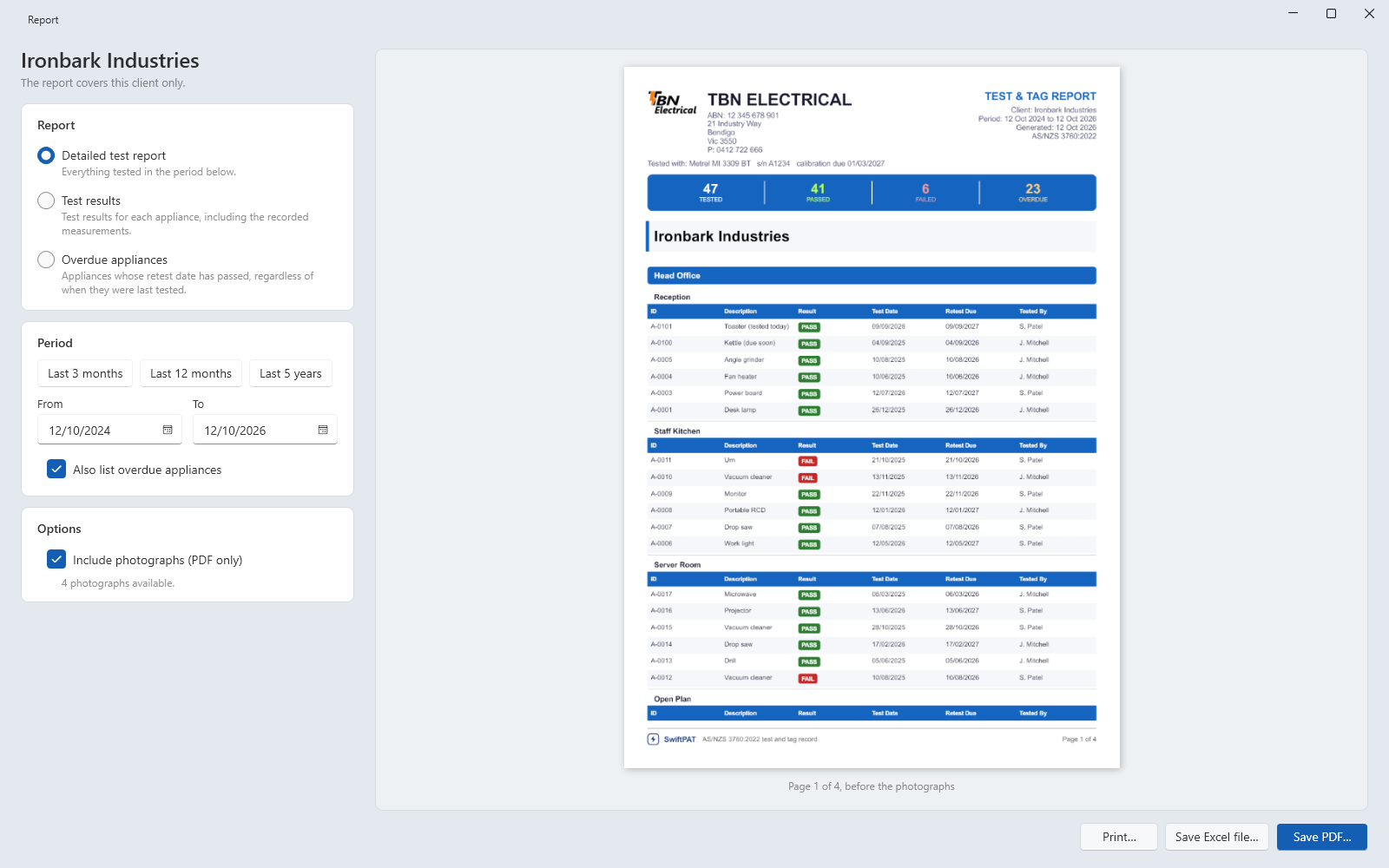
Reports for your customers
Create PDF and Excel reports from the office, using the same report formats as the SwiftPAT mobile app.
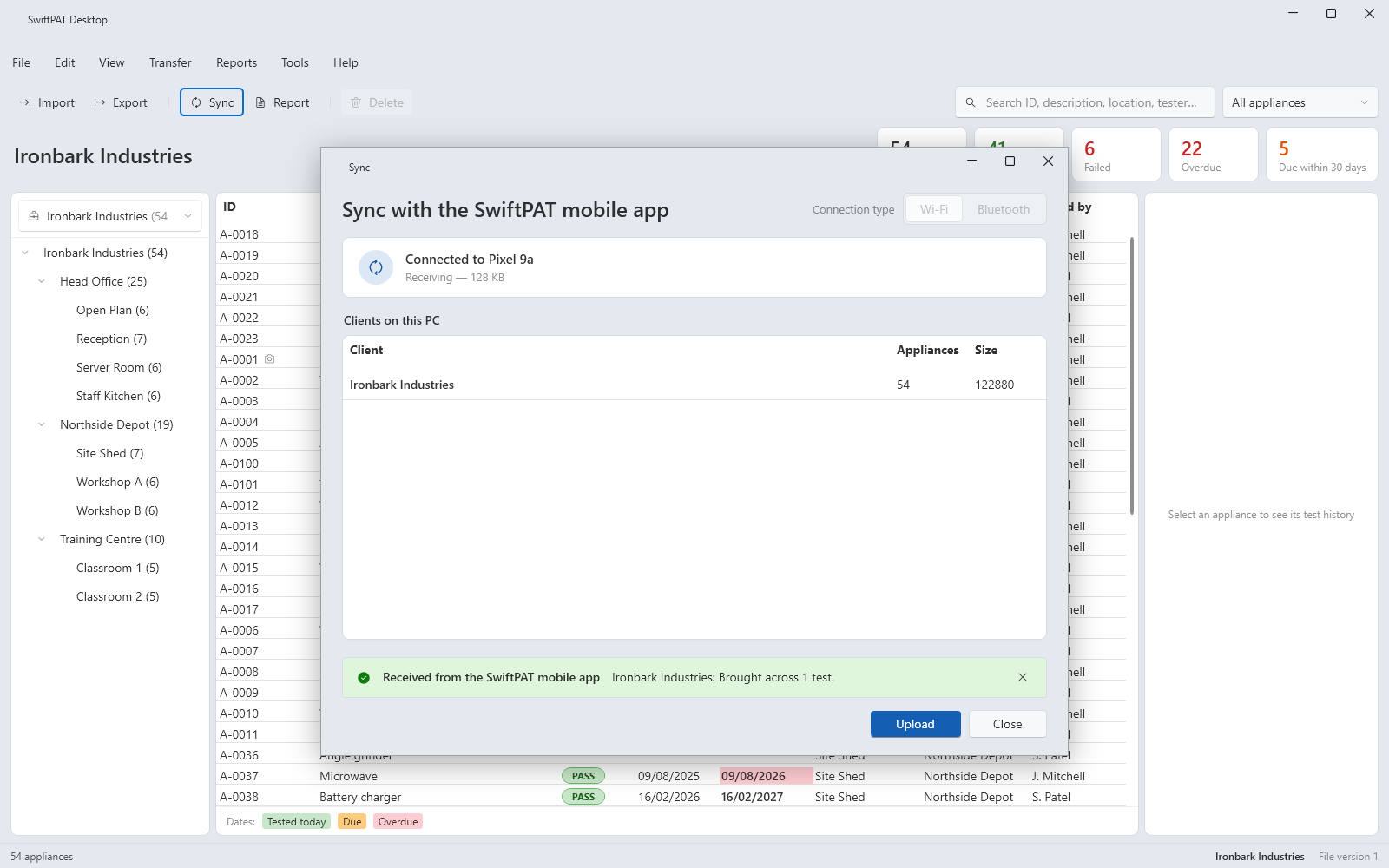
Syncs with the mobile app
Transfer the day's work from the SwiftPAT mobile app to your PC over Bluetooth or Wi-Fi. New tests and photos are added, and changes made on either device are kept. If the same record has been changed in both places, SwiftPAT asks which version to keep.
Checks that your records hold together
Desktop can check a client's database for problems and repair issues it finds, helping keep your records complete. Deleted items go to the Recycling Bin first, so you can restore them if needed.
Do I need it?
No. The SwiftPAT mobile app works on its own. Desktop is an optional companion for managing records and reports from a Windows PC.