 SwiftPAT
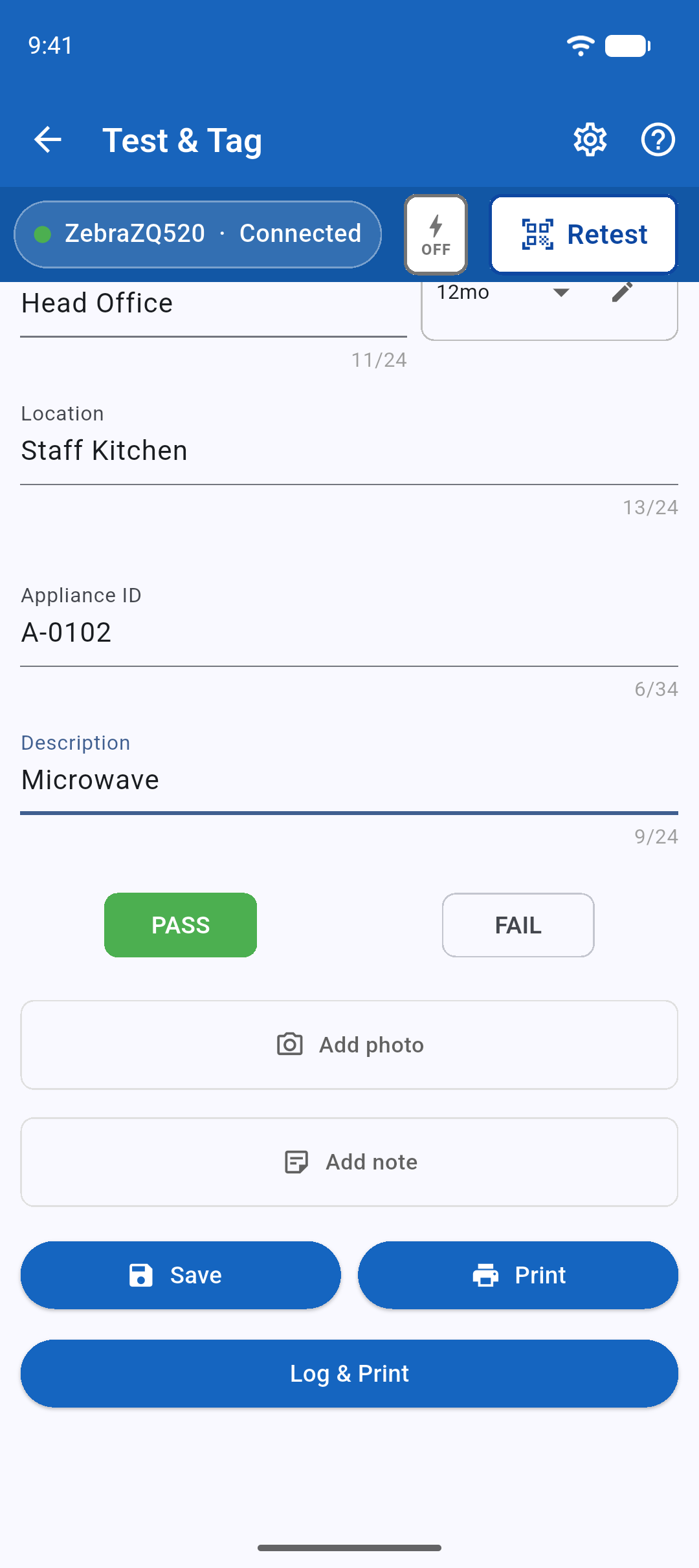
- Open Test & Tag and check the client is right.
- Type the site, location, appliance ID and description.
- Carry out the test with your instrument, then select PASS or FAIL in SwiftPAT.
- Tap Log & Print to save the test record and print the tag. Choose Save to record the test without printing, or Print to print without saving a test record.
The appliance ID rolls forward on its own, so the next appliance is ready to go.
If an ID is already taken
SwiftPAT warns you straight away. It is usually an appliance someone meant to retest, so the warning offers to switch to Retest & Scan with that appliance loaded.